
Native Desktop Performance
Built as a pure Windows desktop application with zero browser tab overhead, tuned for opening and panning multiple charts simultaneously.
PtView Workstation · Native Windows Desktop
Analyze cryptocurrency markets across multiple exchanges with high-performance native charts, customizable indicators, and an AI Copilot that can interact directly with your trading workspace.
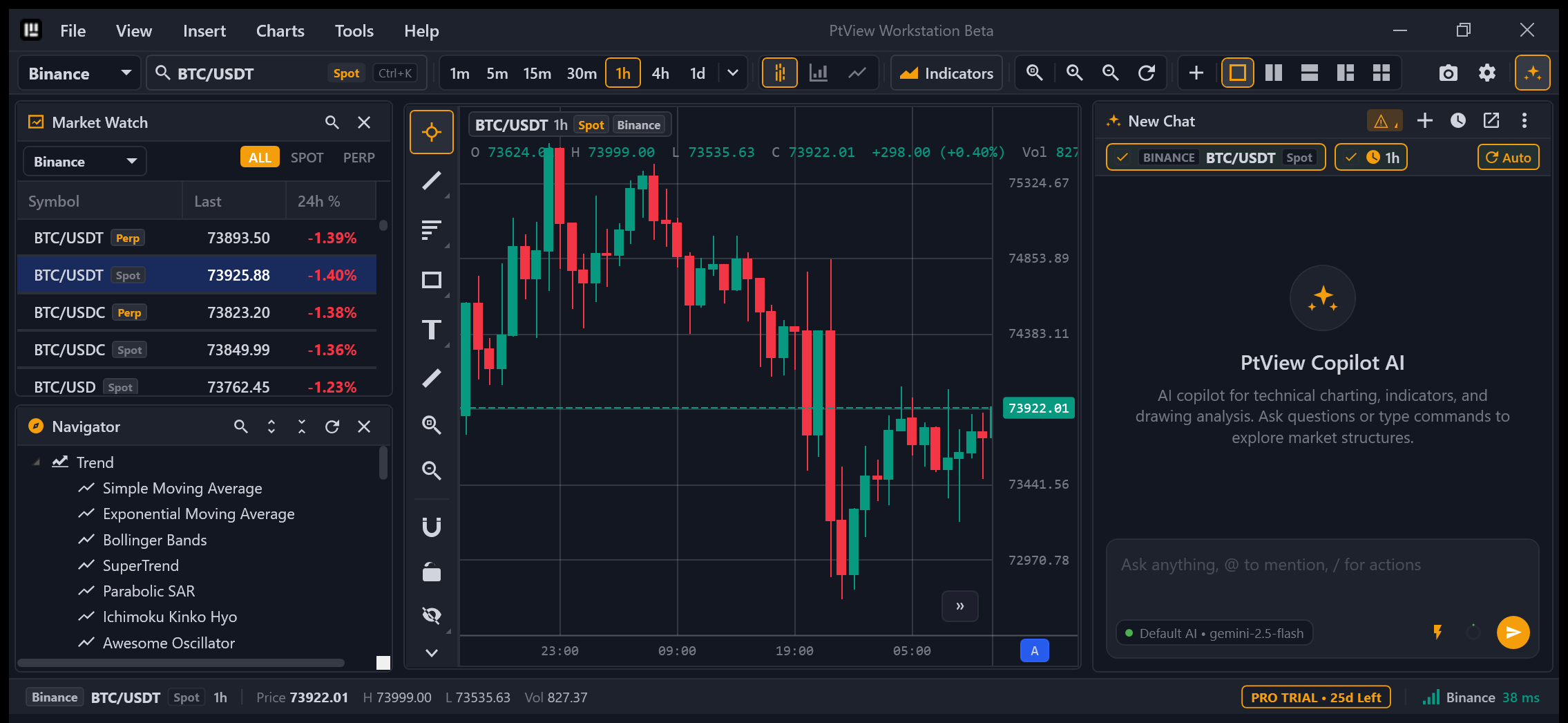
Actual PtView Workstation interface — Click screenshot to zoom
From a natural-language prompt, AI reads your active symbol and timeframe, analyzes indicators, and assists with drawings—subject to supported capabilities and your approval settings.
Reads candle data, adds technical indicators, marks support/resistance zones, and prepares Telegram summaries across 71 built-in AI chart tools (with no order-placement capabilities), governed by your approval rules.
Supports Google Gemini, OpenAI, DeepSeek, Anthropic, OpenRouter, or local Ollama. Disable any AI account or adjust auto-approval anytime.
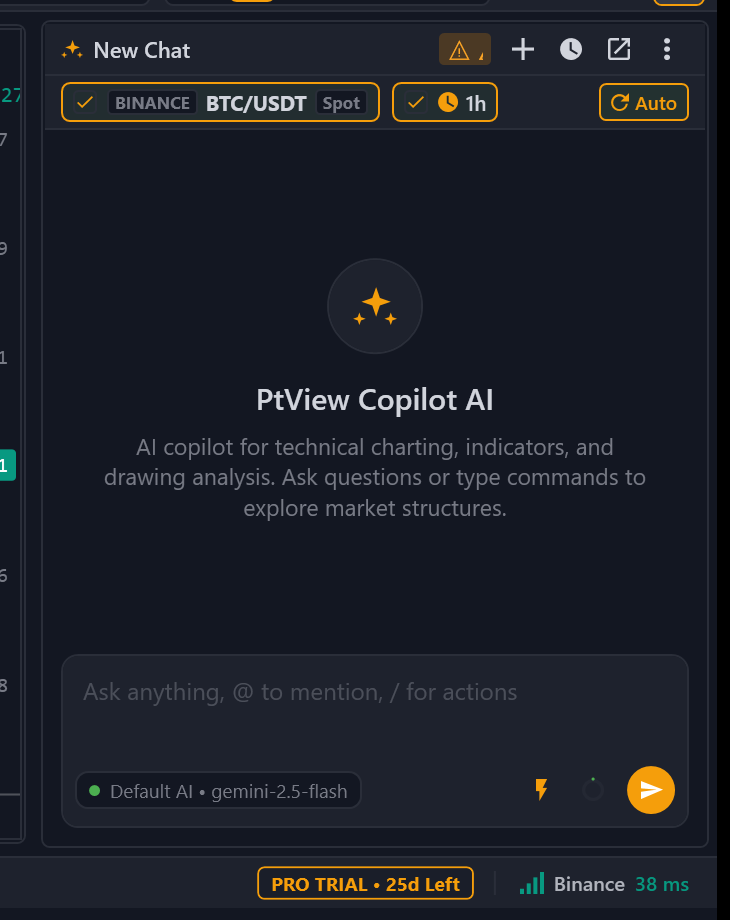
Embedded AI Copilot panel inside PtView Workstation — Click screenshot to zoom
Combines native Windows desktop responsiveness, an AI Copilot that directly manipulates chart tools, and local-first privacy with zero exchange API keys required.
Built as a pure Windows desktop application with zero browser tab overhead, tuned for opening and panning multiple charts simultaneously.
AI Copilot connects to 71 built-in chart tools to inspect candles, manage indicators, draw support/resistance zones, and send Telegram alerts.
View live charts, candles, and order books across OKX, Binance, and Bybit right away—your layouts, drawings, and settings stay safely on your PC.
| Criteria | PtView Workstation | Web-Based Charting Tools |
|---|---|---|
| AI Copilot chart interaction | 71 built-in tools to inspect candles, add indicators & draw zones | Usually relies on external chats without direct chart-tool execution |
| Live feeds without exchange keys | Direct OKX, Binance & Bybit streams with zero API keys needed | Varies by site—some require exchange login or broker links |
| Local-first workspace storage | Workspaces, drawings & configs stored directly on your Windows PC | Typically synced through provider cloud accounts |
| Native on-device execution | Standalone Windows desktop app (Installer & Portable ZIP), zero browser overhead | Runs inside browser tabs subject to browser RAM & tab throttling |
Connects directly to public market streams from your machine—no exchange API key is required to view charts or order books.
Built natively for smooth zooming, deep history scrolling, and responsive 2×2 chart grids with lightweight CPU usage.
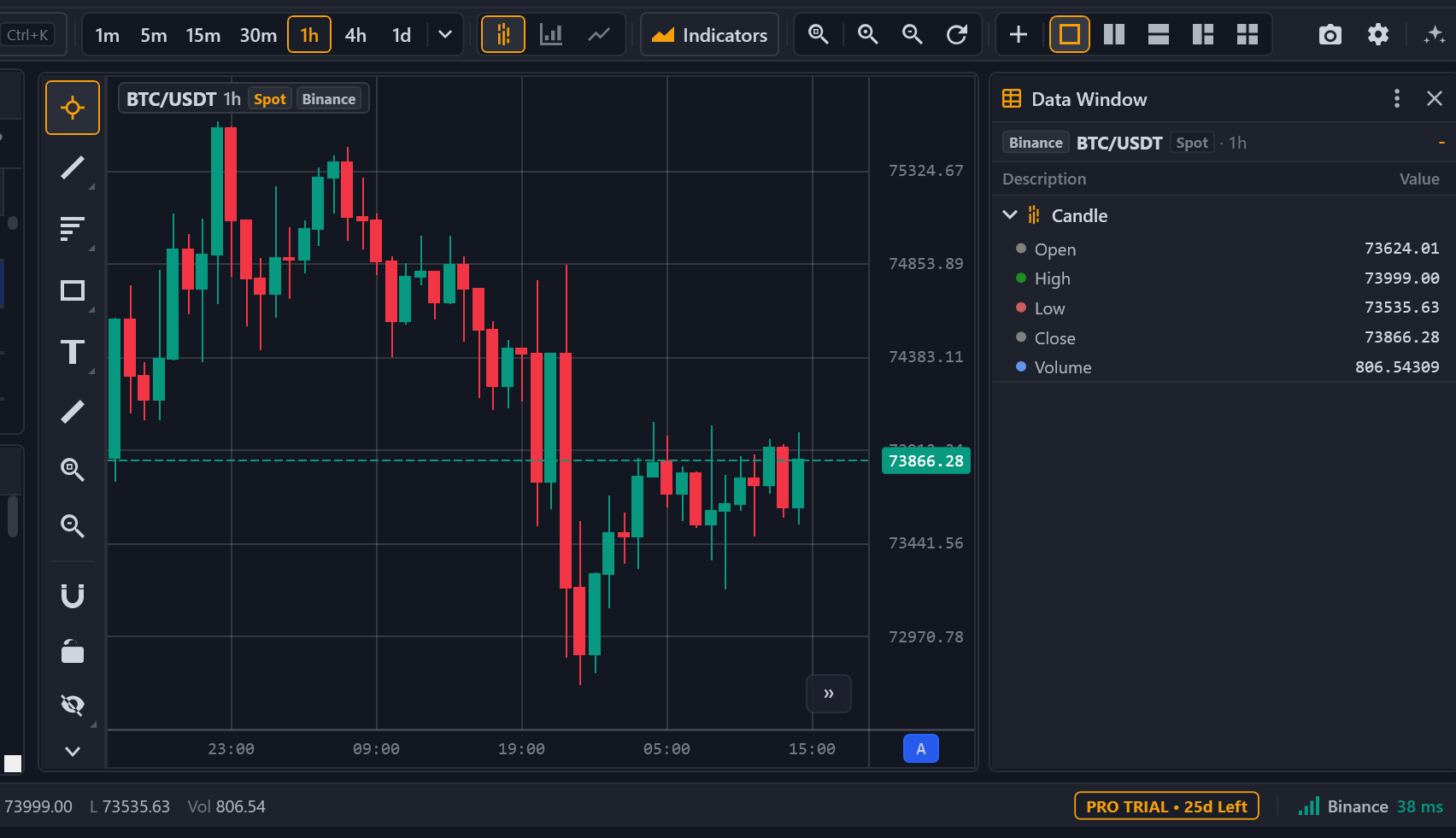
Shares one WebSocket stream per exchange across timeframes and Market Watch, with automatic gap recovery after network drops.
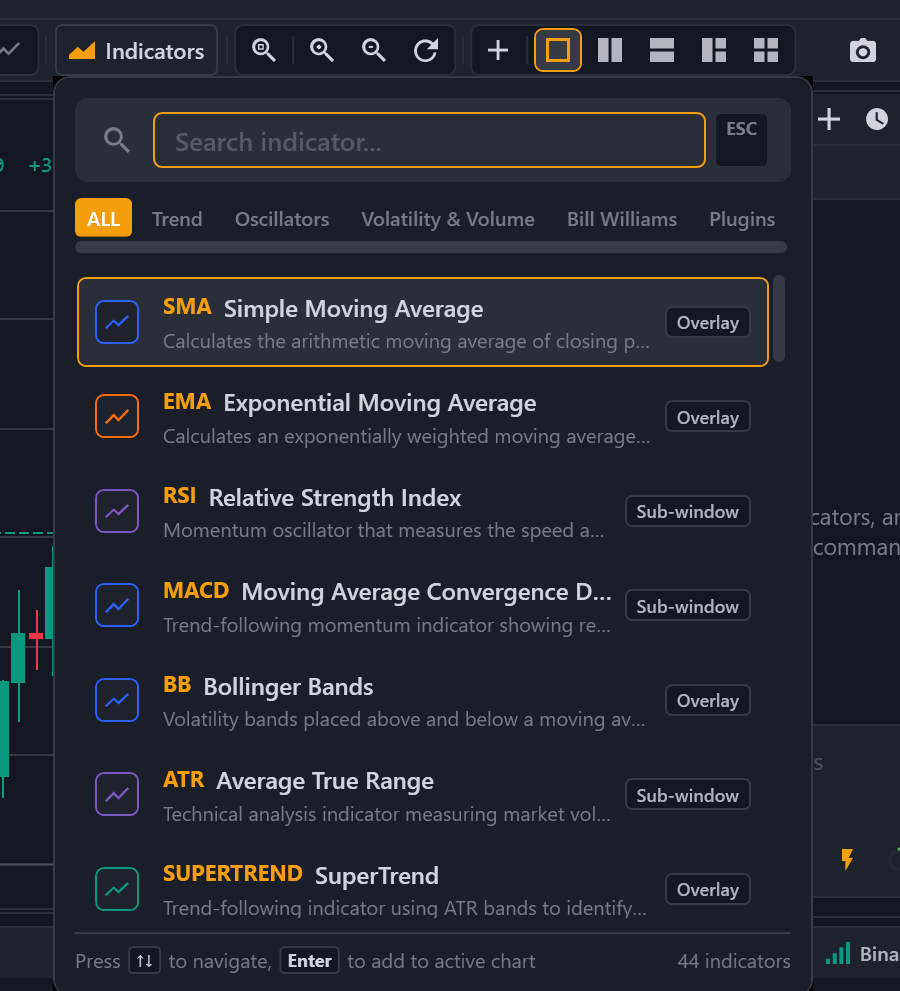
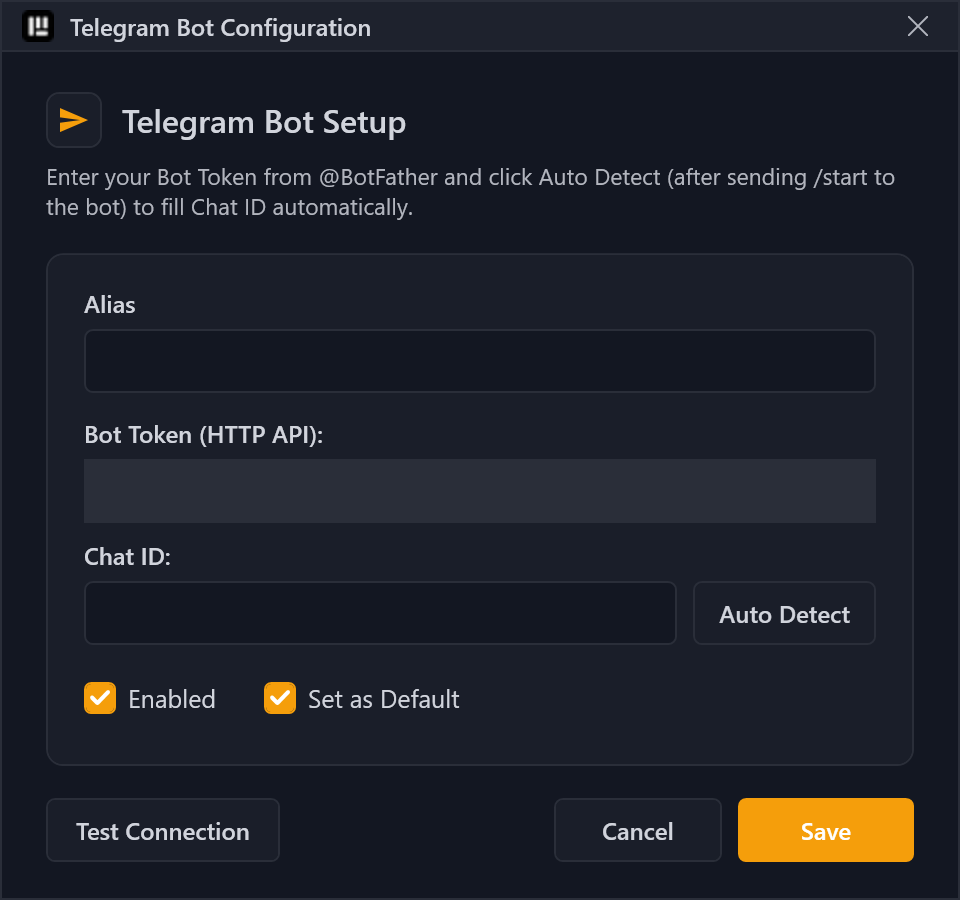
Route instant notifications to your personal Telegram Bot and capture crisp, watermarked chart screenshots in one click.
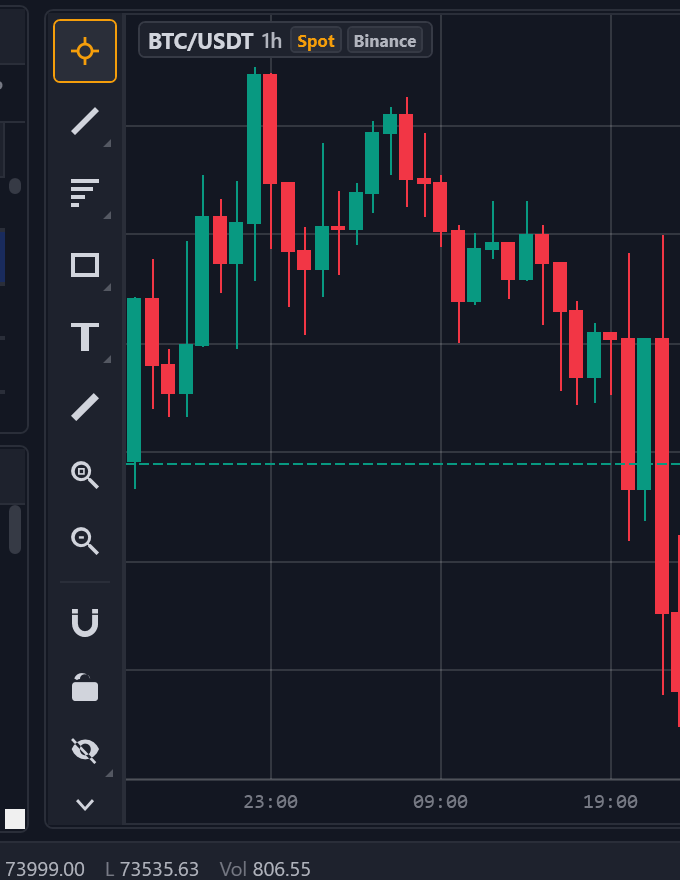
Trendlines, Fibonacci Retracement/Extension, zones, and measurement tools—all persisted locally on your workstation.
● Focused WebSocket & REST feeds across Spot, Perpetual Futures, and Delivery contracts
Independence & Exchange Disclaimer: PtView is an independent desktop software tool and is not affiliated with, endorsed by, or sponsored by OKX, Binance, or Bybit. Public market feeds are retrieved directly from your device via each exchange's official APIs subject to their respective terms of service; all exchange names and trademarks belong to their respective owners.
Local-first architecture: clear separation between public market data, local configuration, and third-party AI processing.
PtView currently connects only to public exchange market data endpoints (candles, tickers, order books) and does not request or store exchange trading API keys.
No. AI provider API keys and Telegram Bot tokens are stored locally on your machine (%LocalAppData%\PTView\config\desktop-settings.json) and are never sent to PtView servers. Anonymous crash reporting (Sentry) is enabled by default to help fix bugs—you can turn it off anytime in Settings—and automatically scrubs IP addresses, credentials, and local paths before sending.
None are required for charting, indicators, or market watch. Should future extensions support account balance reads, always use Read-Only permissions without withdrawal or trading rights.
No. PtView is strictly non-custodial analysis software: it never holds user funds, opens exchange custody accounts, or routes trades.
Only when you actively use AI Copilot, your prompt and relevant chart context (active symbol, timeframe, candle bars, or indicator summaries) are sent directly to your configured third-party AI provider (or stay local if using Ollama).
All 71 built-in chart tools run locally through the app bridge to read public market data, compute indicators, draw chart annotations, or trigger your configured Telegram alert—no trading execution tools exist.
Yes. AI features are completely optional: leave AI accounts unconfigured, toggle any AI account off (Enabled), disable scheduled background AI tasks, or restrict tool auto-approval in AI Settings.
All-in-one standalone package for Windows 10 (version 1809+) and Windows 11 (64-bit)—no extra runtime installs or Administrator rights required.
Every build is published with SHA-256 checksums. Never disable Windows Defender—because Beta builds are not yet code-signed, click "More info" -> "Run anyway" if Windows SmartScreen prompts on first launch. If a download stalls, retry from GitHub Releases or use Portable.zip.
PTView.SDK is an MIT-licensed, zero-dependency .NET 10 contract library. External plugins execute in an isolated worker process (PTView.PluginWorker) over IPC so third-party code cannot destabilize the main workstation.
public sealed class CustomSimpleMovingAverage : IndicatorBase
{
    public override IndicatorMetadata Metadata { get; } =
        IndicatorMetadata.Create(
            id: "MyCustom.SMA",
            name: "Custom Simple Moving Average",
            shortName: "CSMA",
            type: IndicatorType.Overlay,
            parameters: [new IndicatorParameter("Period", "Period", typeof(int), 14)],
            plots: [new IndicatorPlot("sma", "SMA Line", PlotStyle.Line, ColorRgba.PtBlue)]);

    public override void Calculate(IndicatorInput input)
    {
        _smaBuffer?.SetValue(input.CurrentIndex, ComputeSma(input));
    }
}Free to use, no card required. Pro features remain paused while completing exchange licensing.
| Capability | Community (Free Forever) | PTView Pro |
|---|---|---|
| Multi-exchange market data (Spot & Derivatives) | OKX, Binance, Bybit | OKX, Binance, Bybit |
| Concurrent charts per layout | Up to 2 charts | Unlimited (2×2, 1+3 grids) |
| Indicators per chart | Up to 5 indicators | Unlimited |
| External C# Plugins (PTView.SDK) | Built-in indicators only | Full isolated external plugins |
| AI Copilot & Multi-Account Failover | Single AI account | Advanced AI Copilot + multi-key rotation |
| Historical bar buffer | Up to 2,000 bars/timeframe | Up to 50,000 bars/timeframe |
30-day full Pro access (Beta pricing).
Save 45% vs monthly billing, full Pro updates for 365 days.
When Pro sales resume, licenses can be bound to a single workstation Machine ID or used flexibly across PCs without hardware lock, with 1-click restoration by Email/Order code and offline signed key support.
PtView connects directly to 3 major cryptocurrency exchanges — OKX, Binance, and Bybit — covering Spot, Perpetual Futures, and Delivery markets.
Community Edition is permanently free with OKX, Binance, and Bybit real-time feeds, up to 2 concurrent charts, 5 indicators per chart, drawing tools, and standard AI Copilot. Commercial Pro upgrades are temporarily on hold while awaiting exchange data licensing.
Setup.exe checks for lightweight background updates across Stable and Beta channels. Market charting and AI outputs are strictly for research and carry no guarantee against trading or financial loss.